Manage Users
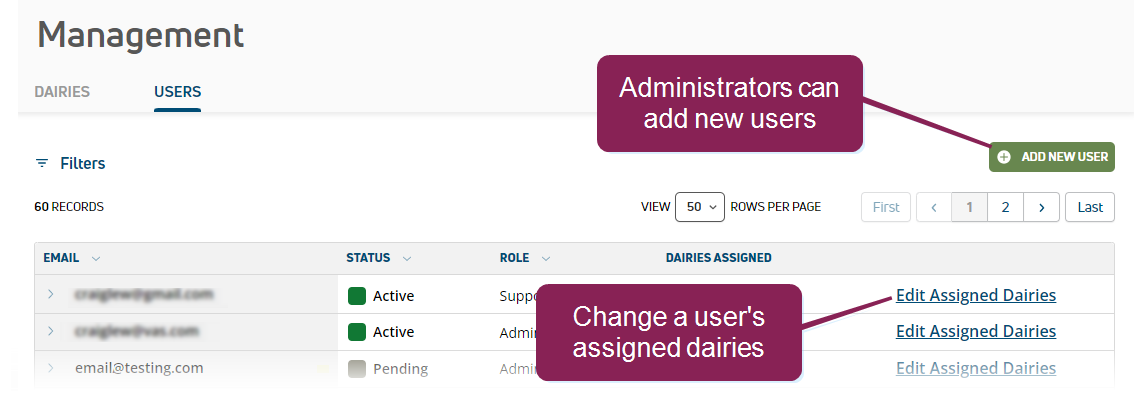
The Users page allows you to add and remove users, as well as adjust a user's assigned dairies.
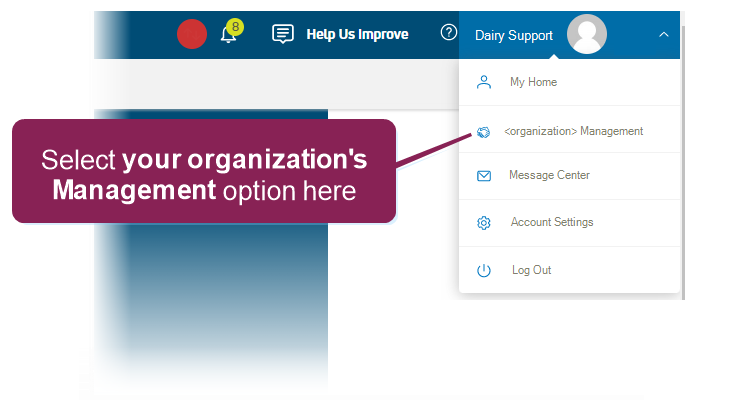
To access the Dairy Support Management Tool, log into PULSE and select your organization's Management option from your user menu at the top right of the page.
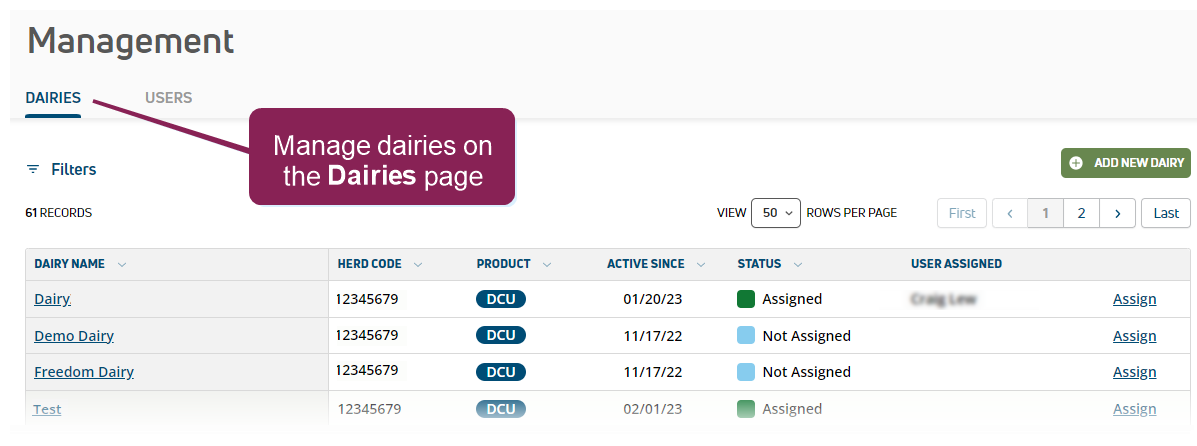
Then use the
The Dairy Support Management Tool supports two unique roles: Administrator and Support. The main distinction between the roles is that an administrator can add new users and remove them:
|
Permissions |
Administrator |
Support |
|---|---|---|
|
Dairy Support Management Tool access |
|
|
|
Add new dairies |
|
|
|
Add new users & remove users |
|
|
|
Assign users to dairies |
|
|


Expand the sections below to learn more:
 Add a new user (Administrators only)
- Click the Add New User button at the top right of the page.
- Enter the user's email address.
- Select the user's Role.
- Click Invite User.
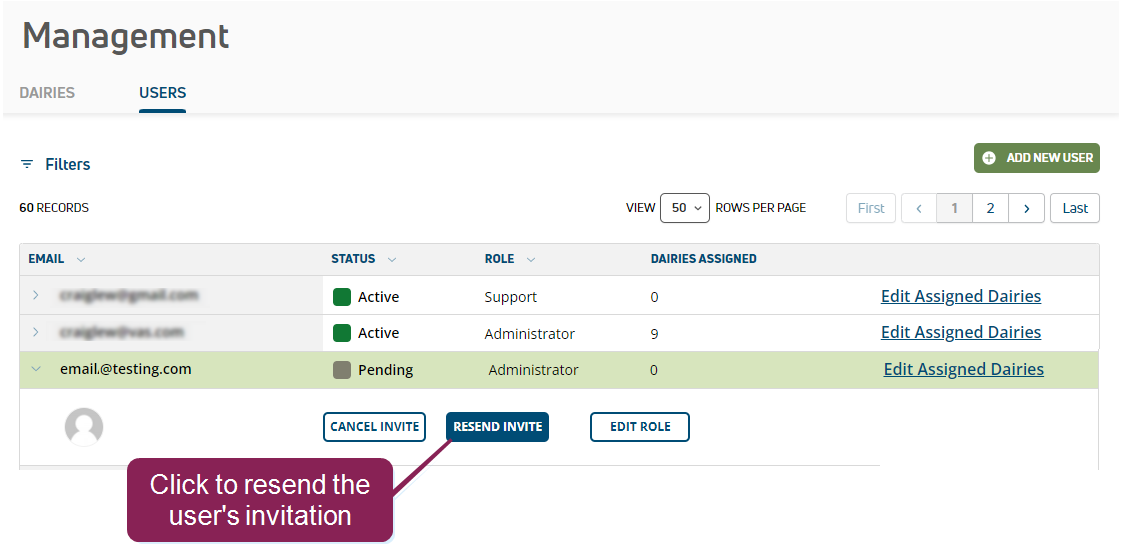
An email invitation is sent to the user, which they must accept for access. If a user cannot locate the email invitation, you can resend it. Click the user's row and select Resend Invite.
Edit a user's assigned dairies
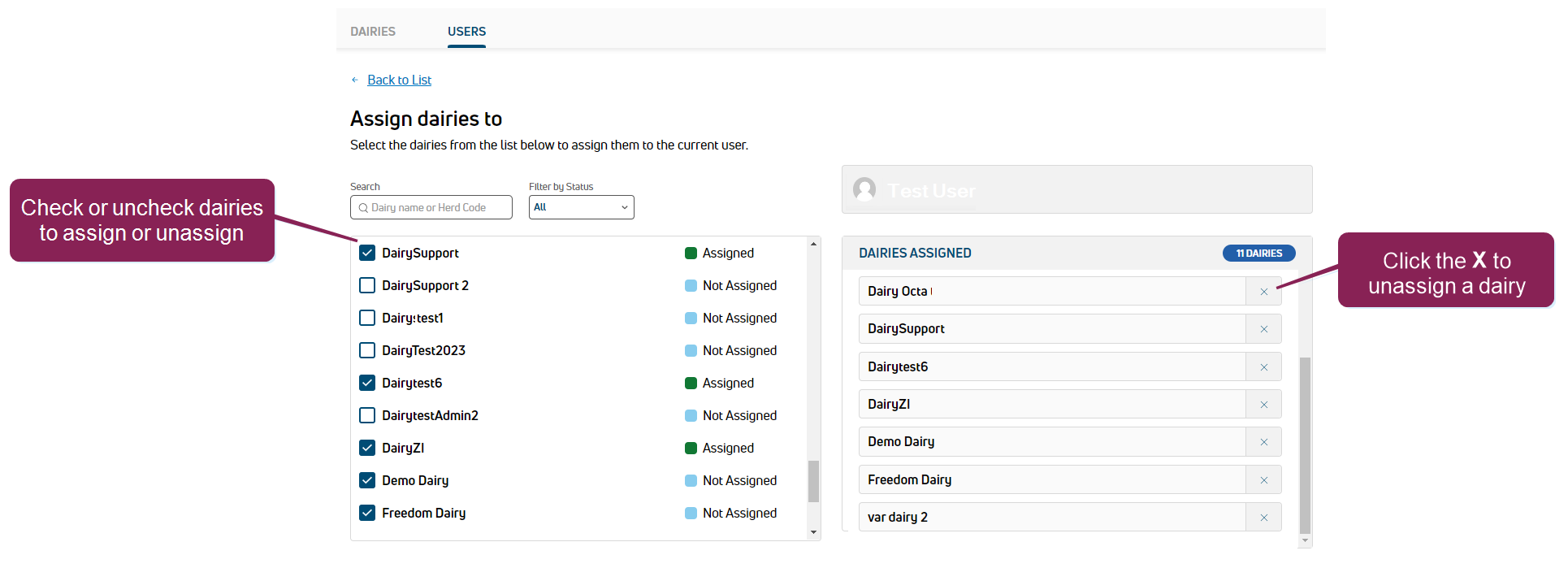
- Click Edit Assigned Dairies option for the user. Click Filters to access search and filter options if needed.
- Check or uncheck their assigned dairies on the left, or click the X on the right to unassign dairies.
- Click Save.
 Change a user's role
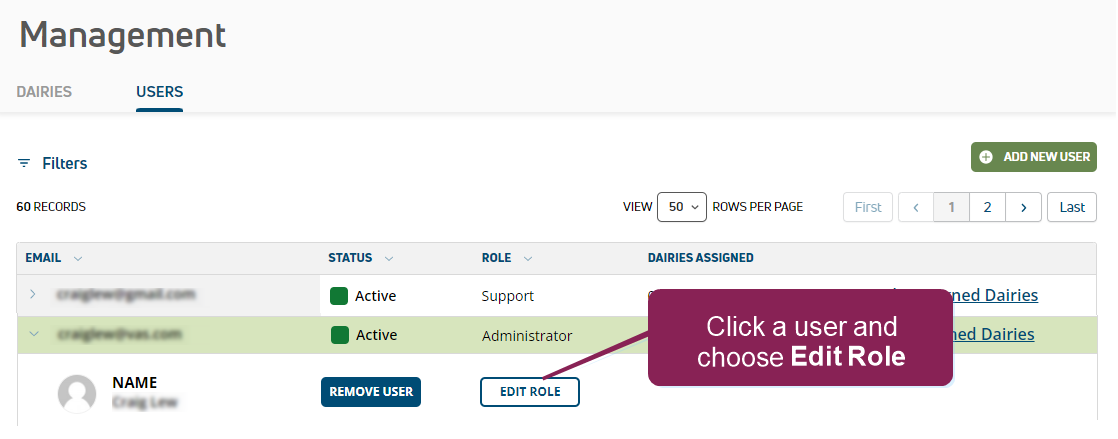
- Click the user to edit and choose Edit Role.
- Choose the correct role and click Save.
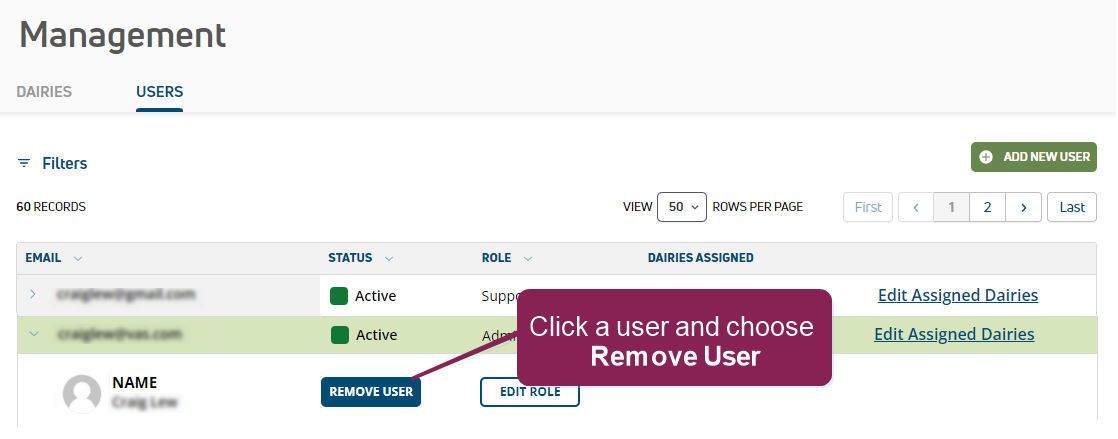
 Remove a user (Administrators only)
- Click the user to remove and choose Remove User.
- Click Yes to accept the confirmation message.